
🧮 数学(Math)#
#bs.math:help
数学的美妙世界… 尽在 Minecraft 中!
“数学中那些极精微的发明,既能充分满足好奇之士,又能在一定程度上便利一切工艺、减轻人类劳动,它们理应属于超越凡俗的知识范畴。”
—勒内·笛卡尔(René Descartes)
观看演示
🔧 函数#
你可以在下方找到此模块中的所有可用函数。
组合#
- #bs.math:combine
计算 2 个数的组合。
- 输入:
分数
$math.combine.[n,k] bs.in:要计算的组合数,会自动从大数中取出小数。- 输出:
返回值 | 分数
$math.combine bs.out:运算结果。
技术限制
如果结果大于 2,147,483,647,或 $math.combine.[n,k] bs.in 中有负数,则 bs.out 的值将不正确。
示例:计算 \(combine(4,2)\):
# Once
scoreboard players set $math.combine.n bs.in 4
scoreboard players set $math.combine.k bs.in 2
function #bs.math:combine
tellraw @a [{"text": "combine(4,2) = ","color":"dark_gray"},{"score":{"name":"$math.combine","objective":"bs.out"},"color":"gold"}]
制作人员:Ethanout
指数#
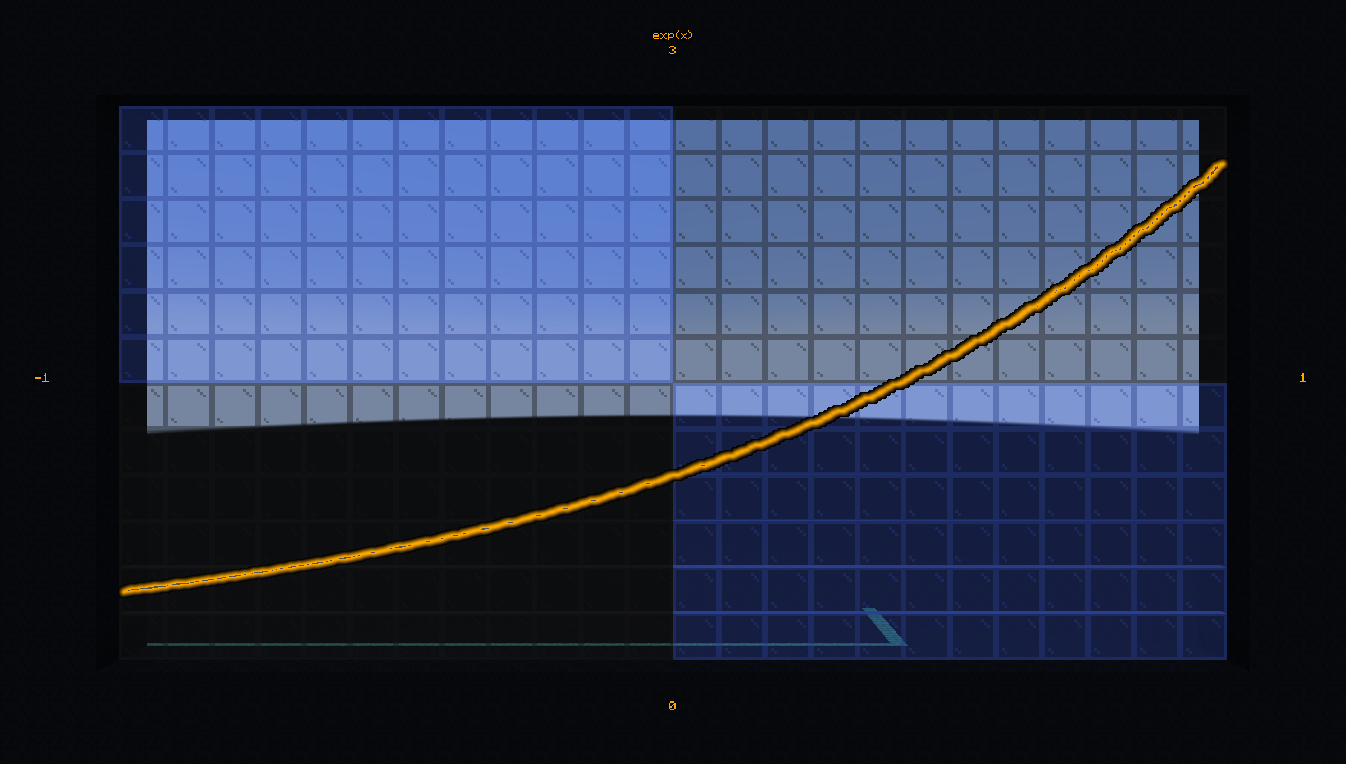
- #bs.math:exp
计算指数函数。
- 输入:
命令存储
bs:in math.exp.x: 要计算指数的数。- 输出:
命令存储
bs:out math.exp: 运算结果。
示例:计算 \(exp(3)\):
# Once
data modify storage bs:in math.exp.x set value 3.0
function #bs.math:exp
data get storage bs:out math.exp
- #bs.math:exp2
计算以 2 为底的指数函数。
- 输入:
命令存储
bs:in math.exp2.x: 要计算指数的数。- 输出:
命令存储
bs:out math.exp2: 运算结果。
示例:计算 \(exp2(3)\):
# Once
data modify storage bs:in math.exp2.x set value 3.0
function #bs.math:exp2
data get storage bs:out math.exp2
制作人员:Aksiome
阶乘#
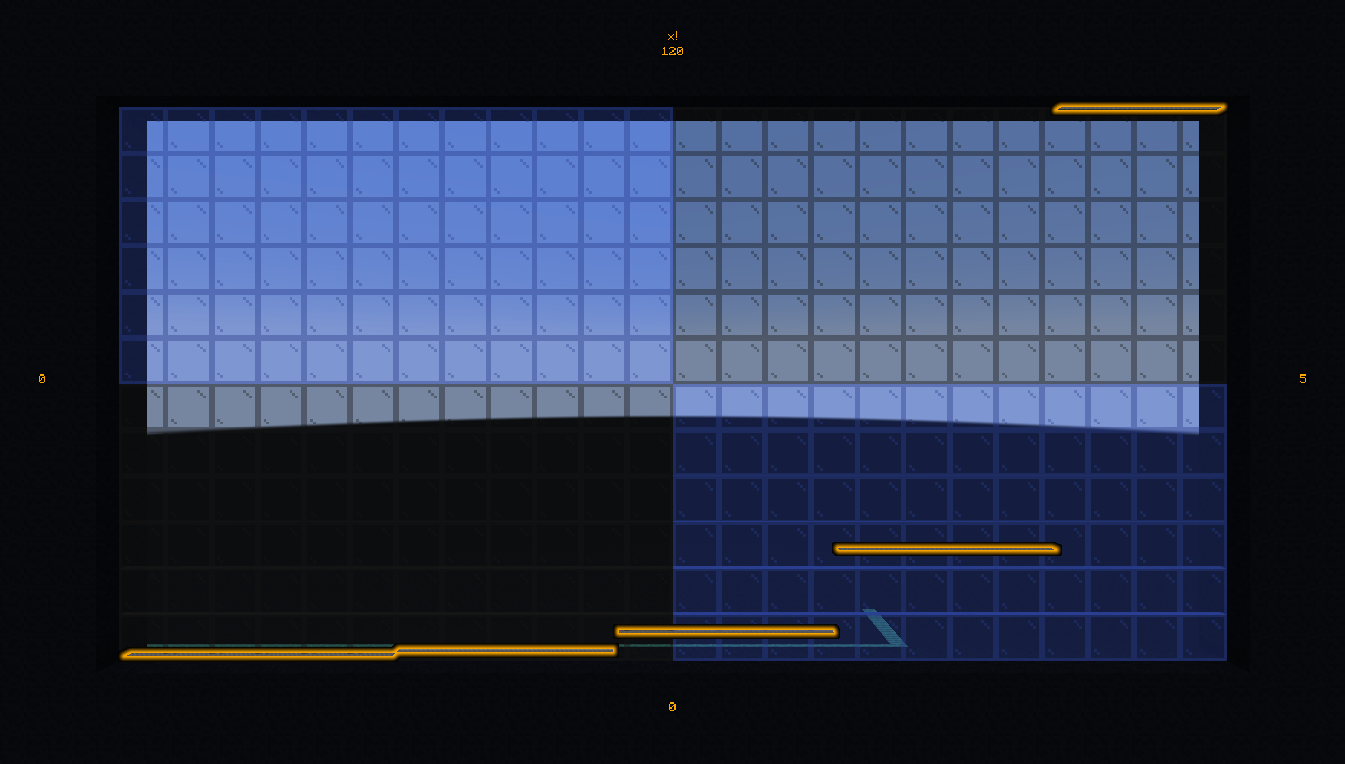
- #bs.math:factorial
计算数的阶乘。
- 输入:
分数
$math.factorial.n bs.in:要计算阶乘的数。- 输出:
返回值 | 分数
$math.factorial bs.out:运算结果。
技术限制
由于分数中可以存储的整数限制,$math.factorial.n bs.in 的范围限制在 [0,12]。
示例:计算 \(3!\):
# Once
scoreboard players set $math.factorial.n bs.in 3
function #bs.math:factorial
tellraw @a [{"text": "3! = ","color":"dark_gray"},{"score":{"name":"$math.factorial","objective":"bs.out"},"color":"gold"}]
制作人员:KubbyDev
浮点数操作#
- #bs.math:frexp
将浮点数分解为标准化的分数和 2 的整数次幂。
- 输入:
命令存储
bs:in math.frexp.x: 要分解的数。- 输出:
命令存储
bs:out math.frexp.e: 2 的指数。命令存储
bs:out math.frexp.x: 范围在(-1,-0.5]或[0.5,1)的标准化分数。
示例:将 5.8 分解为尾数和指数:
# Once
data modify storage bs:in math.frexp.x set value 5.8
function #bs.math:frexp
data get storage bs:out math.frexp
- #bs.math:ldexp
从标准化的分数和 2 的整数次幂构建浮点数。
- 输入:
命令存储
bs:in math.ldexp.x: 范围在(-1,-0.5]或[0.5,1)的标准化分数。命令存储
bs:in math.ldexp.e: 2 的指数。- 输出:
命令存储
bs:out math.ldexp: 结果浮点数。
示例:组合一个浮点数:
# Once
data modify storage bs:in math.ldexp.e set value 3
data modify storage bs:in math.ldexp.x set value 0.75
function #bs.math:ldexp
data get storage bs:out math.ldexp
制作人员:Aksiome
最大公约数#
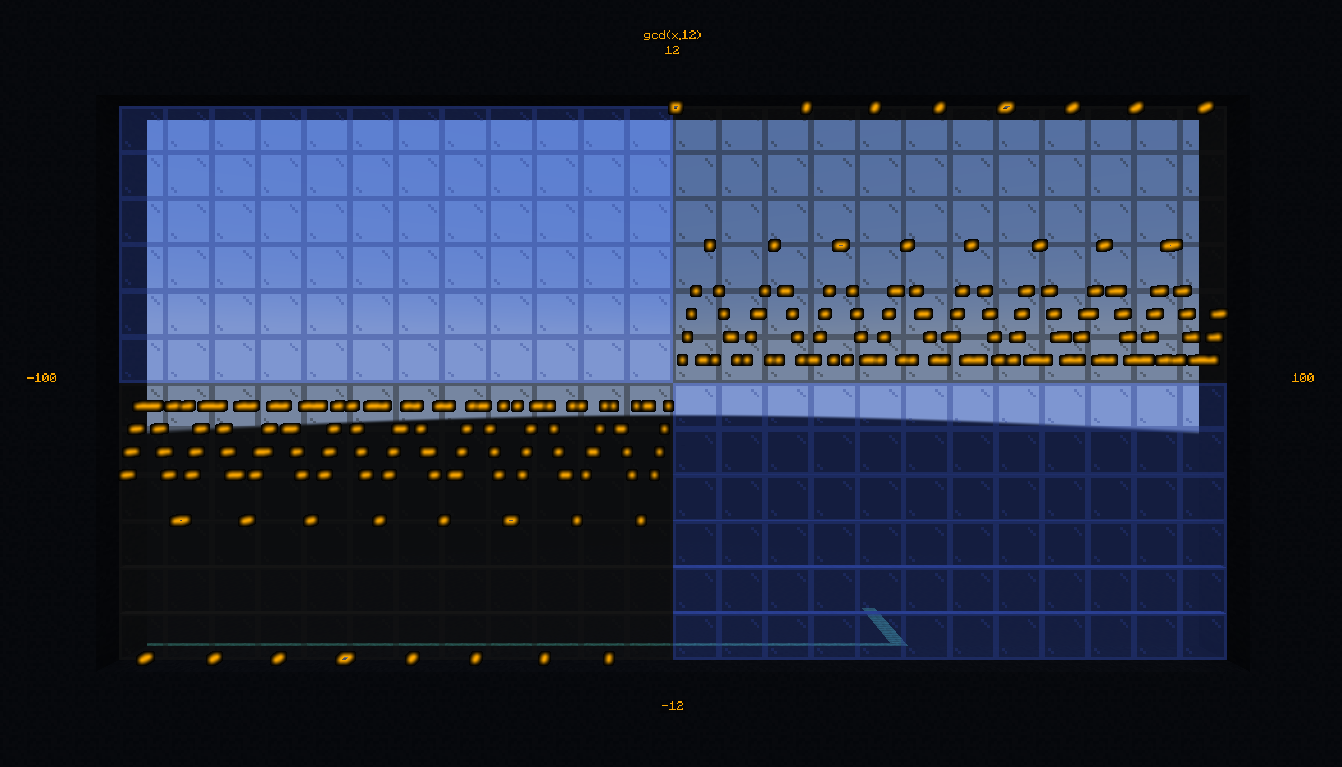
- #bs.math:gcd
计算两个数的最大公约数。
- 输入:
分数
$math.gcd.[a,b] bs.in:两个数。- 输出:
返回值 | 分数
$math.gcd bs.out:最大公约数。
示例:计算 16 和 12 的最大公约数:
# Once
scoreboard players set $math.gcd.a bs.in 16
scoreboard players set $math.gcd.b bs.in 12
function #bs.math:gcd
tellraw @a [{"text": "gcd(16,12) = ", "color": "dark_gray"},{"score":{"name":"$math.gcd", "objective": "bs.out"}, "color": "gold"}]
制作人员:Aksiome、Leirof
对数#
- #bs.math:log
计算数的自然对数(以 e 为底)。
- 输入:
命令存储
bs:in math.log.x: 要计算对数的数。- 输出:
命令存储
bs:out math.log: 运算结果。
示例:计算 \(ln(28)\):
# Once
data modify storage bs:in math.log.x set value 28.0
function #bs.math:log
data get storage bs:out math.log
- #bs.math:log2
计算数的以 2 为底的对数。
- 输入:
命令存储
bs:in math.log2.x: 要计算对数的数。- 输出:
命令存储
bs:out math.log2: 运算结果。
示例:计算 \(log_2(28)\):
# Once
data modify storage bs:in math.log2.x set value 28.0
function #bs.math:log2
data get storage bs:out math.log2
- #bs.math:log10
计算数的以 10 为底的对数。
- 输入:
命令存储
bs:in math.log10.x: 要计算对数的数。- 输出:
命令存储
bs:out math.log10: 运算结果。
示例:计算 \(log_{10}(28)\):
# Once
data modify storage bs:in math.log10.x set value 28.0
function #bs.math:log10
data get storage bs:out math.log10
- #bs.math:loga
计算数的以 a 为底的对数。
- 输入:
命令存储
bs:in math.loga.x: 要计算对数的数。命令存储
bs:in math.loga.a: 对数的底数。- 输出:
命令存储
bs:out math.loga: 运算结果。
示例:计算 \(log_4(28)\):
# Once
data modify storage bs:in math.loga.a set value 4
data modify storage bs:in math.loga.x set value 28.0
function #bs.math:loga
data get storage bs:out math.loga
制作人员:Aksiome
幂#
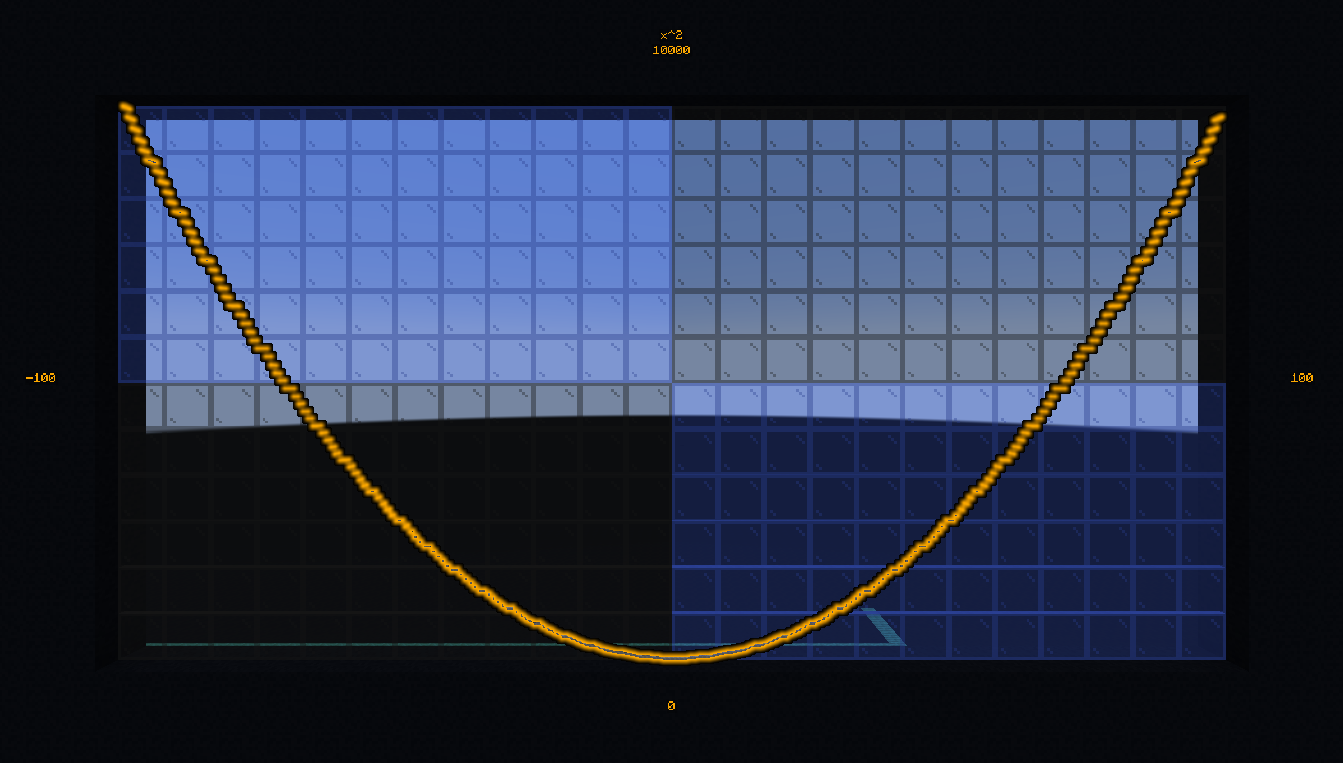
- #bs.math:ipow
计算整数的幂。
- 输入:
分数
$math.ipow.x bs.in:底数。分数
$math.ipow.y bs.in:指数。- 输出:
返回值 | 分数
$math.ipow bs.out:运算结果。
示例:计算并显示 \(3^6\):
# Once
scoreboard players set $math.ipow.x bs.in 3
scoreboard players set $math.ipow.y bs.in 6
function #bs.math:ipow
tellraw @a [{"text": "3^6 = ", "color": "dark_gray"},{"score":{"name":"$math.ipow", "objective": "bs.out"}, "color": "gold"}]
- #bs.math:pow
计算浮点数的幂。
- 输入:
命令存储
bs:in math.pow.x: 底数。命令存储
bs:in math.pow.y: 指数。- 输出:
命令存储
bs:out math.pow: 运算结果。
示例:计算并显示 \(pow(3.5, 2.25)\):
# Once
data modify storage bs:in math.pow set value {x:3.5,y:2.25}
function #bs.math:pow
tellraw @a [{"text": "3.5^2.25 = ", "color": "dark_gray"},{"nbt": "math.pow", "storage": "bs:out", "color": "gold"}]
制作人员:Aksiome、Leirof
四舍五入除法#
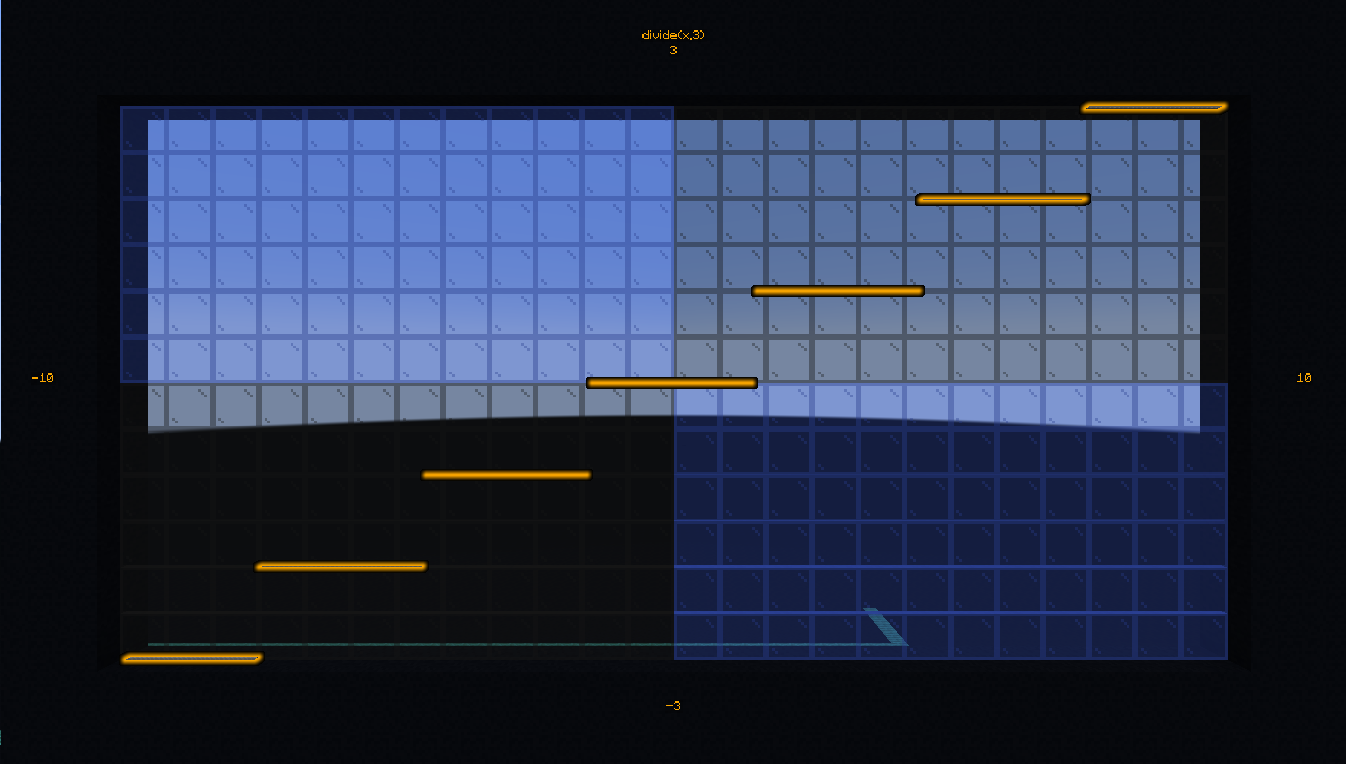
- #bs.math:divide
将一个数除以另一个数,然后将结果四舍五入到最接近的整数(Minecraft 向下取整)。
- 输入:
分数
$math.divide.x bs.in:被除数。分数
$math.divide.y bs.in:除数。- 输出:
返回值 | 分数
$math.divide bs.out:除法结果。
示例:计算 \(9/5\):
# Once
scoreboard players set $math.divide.x bs.in 9
scoreboard players set $math.divide.y bs.in 5
function #bs.math:divide
tellraw @a [{"text": "9 / 5 = ", "color": "dark_gray"},{"score":{"name":"$math.divide", "objective": "bs.out"}, "color": "gold"}]
制作人员:Aksiome、theogiraudet
平方根#
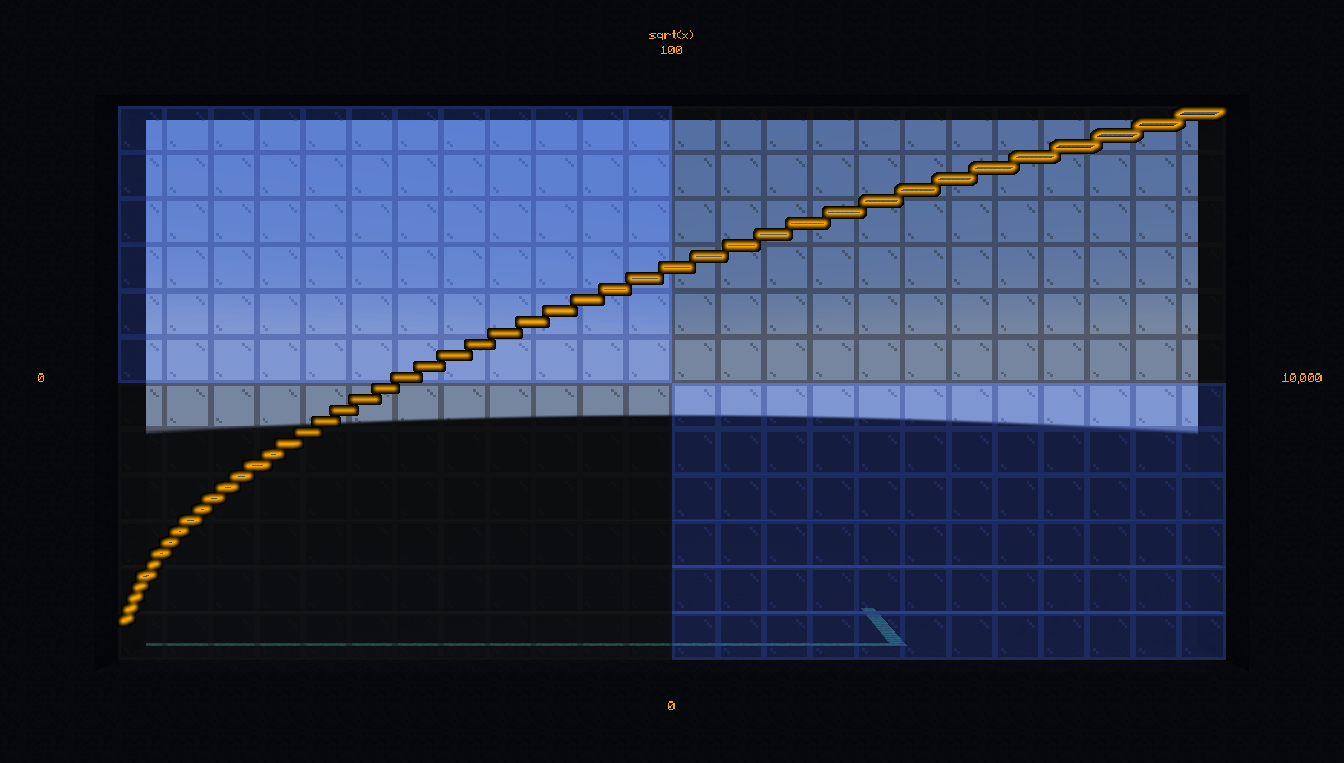
- #bs.math:isqrt
计算整数的平方根。
- 输入:
分数
$math.isqrt.x bs.in:要计算平方根的数。- 输出:
返回值 | 分数
$math.isqrt bs.out:平方根向下取整的结果。
示例:计算并显示 \(\sqrt{42}\):
# Once
scoreboard players set $math.isqrt.x bs.in 42
function #bs.math:isqrt
tellraw @a [{"text": "sqrt(42) = ", "color": "dark_gray"},{"score":{"name":"$math.isqrt", "objective": "bs.out"}, "color": "gold"}]
- #bs.math:sqrt
计算浮点数的平方根。
- 输入:
命令存储
bs:in math.sqrt.x: 要计算平方根的数。- 输出:
命令存储
bs:out math.sqrt: 运算结果。
示例:计算并显示 \(\sqrt{42}\):
# Once
data modify storage bs:in math.sqrt.x set value 42
function #bs.math:sqrt
tellraw @a [{"text": "sqrt(42) = ", "color": "dark_gray"},{"nbt": "math.sqrt", "storage": "bs:out", "color": "gold"}]
制作人员:Ethanout
三角函数#
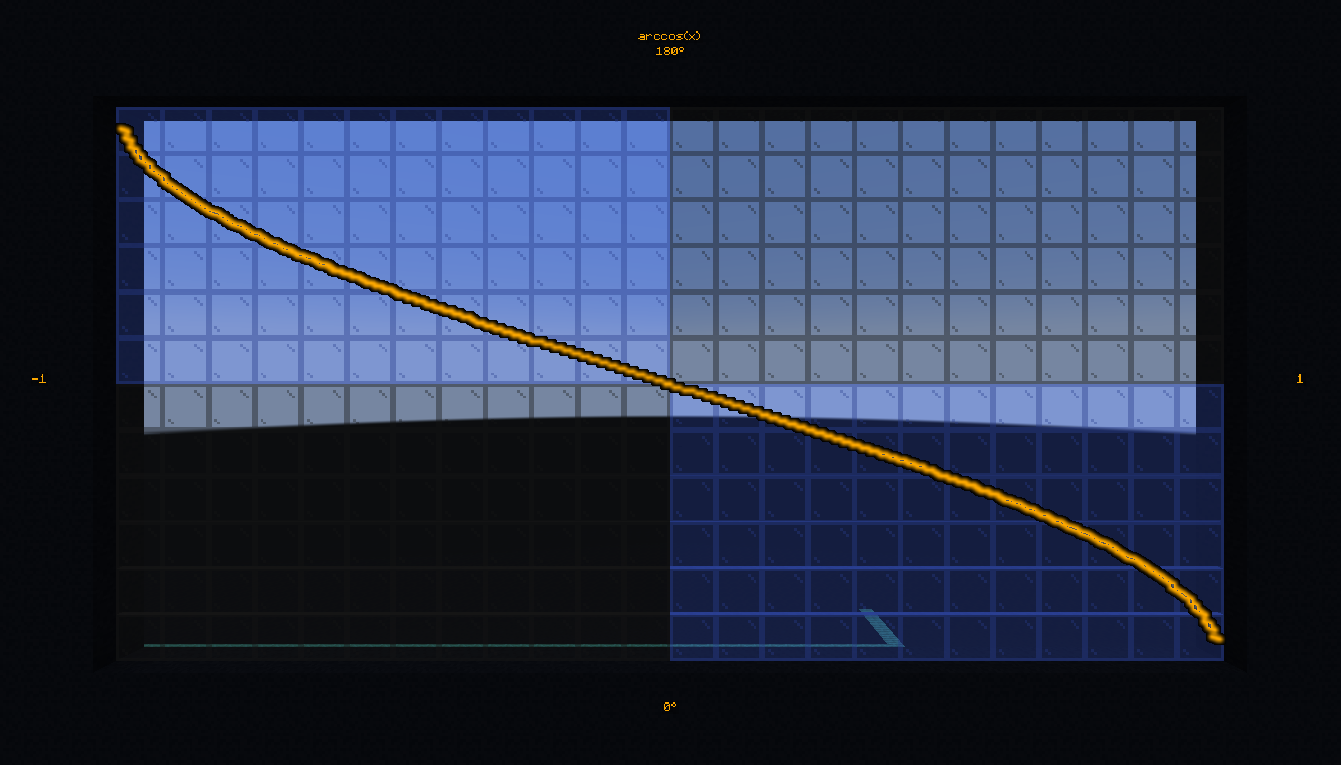
- #bs.math:acos
计算 -1 到 1 之间的值的反余弦。
- 输入:
分数
$math.acos.x bs.in:要计算反余弦的值,为了在整数分数中获得更好的精度而偏移 3 位小数(1.2345 → 1234)。- 输出:
返回值 | 分数
$math.acos bs.out:运算结果(角度),偏移 2 位小数。
示例:计算并显示 0.42 的反余弦:
# Once
scoreboard players set $math.acos.x bs.in 420
function #bs.math:acos
tellraw @a [{"text":"acos(0.42) = ","color":"dark_gray"},{"score":{"name":"$math.acos","objective":"bs.out"},"color":"gold"}]
- #bs.math:asin
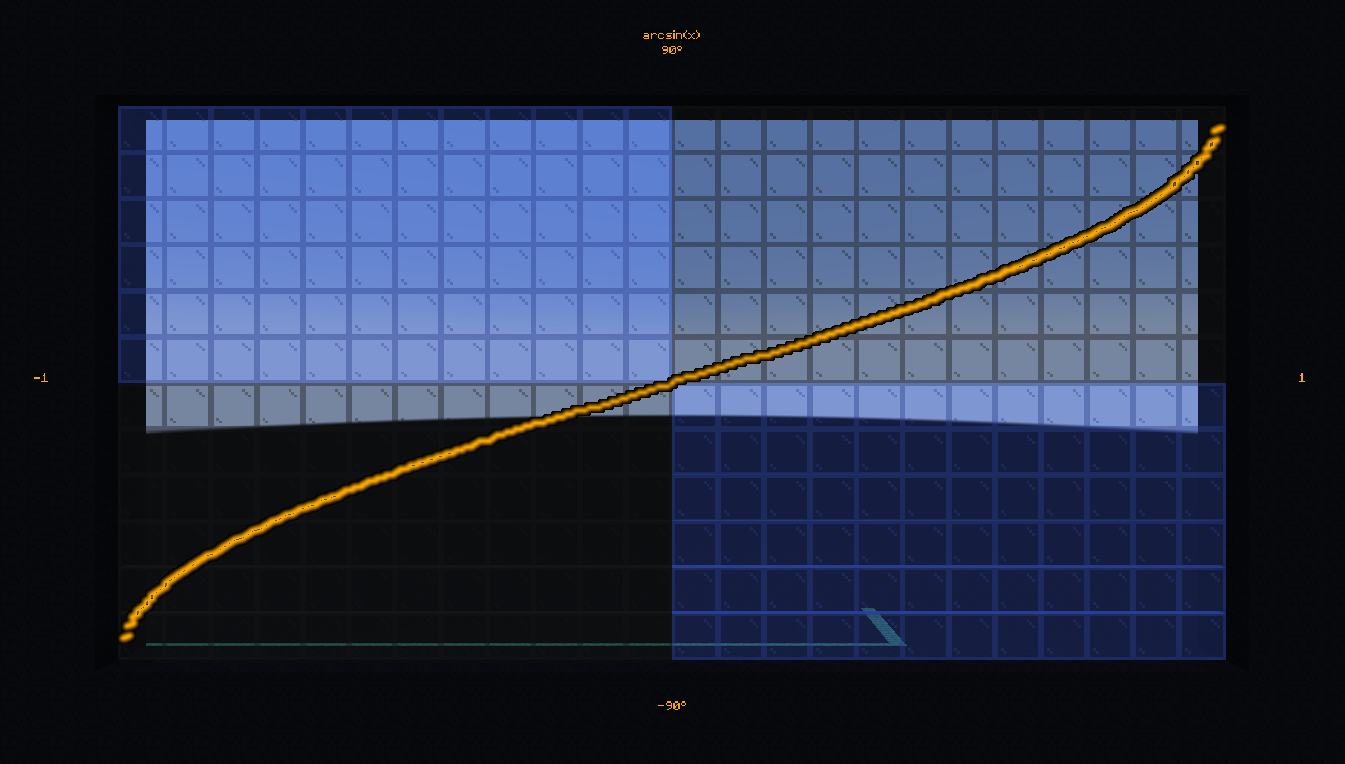
计算 -1 到 1 之间的值的反正弦。
- 输入:
分数
$math.asin.x bs.in:要计算反正弦的值,为了在整数分数中获得更好的精度而偏移 3 位小数(1.2345 → 1234)。- 输出:
返回值 | 分数
$math.asin bs.out:运算结果(角度),偏移 2 位小数。
示例:计算并显示 0.42 的反正弦:
# Once
scoreboard players set $math.asin.x bs.in 420
function #bs.math:asin
tellraw @a [{"text":"asin(0.42) = ","color":"dark_gray"},{"score":{"name":"$math.asin","objective":"bs.out"},"color":"gold"}]
- #bs.math:atan
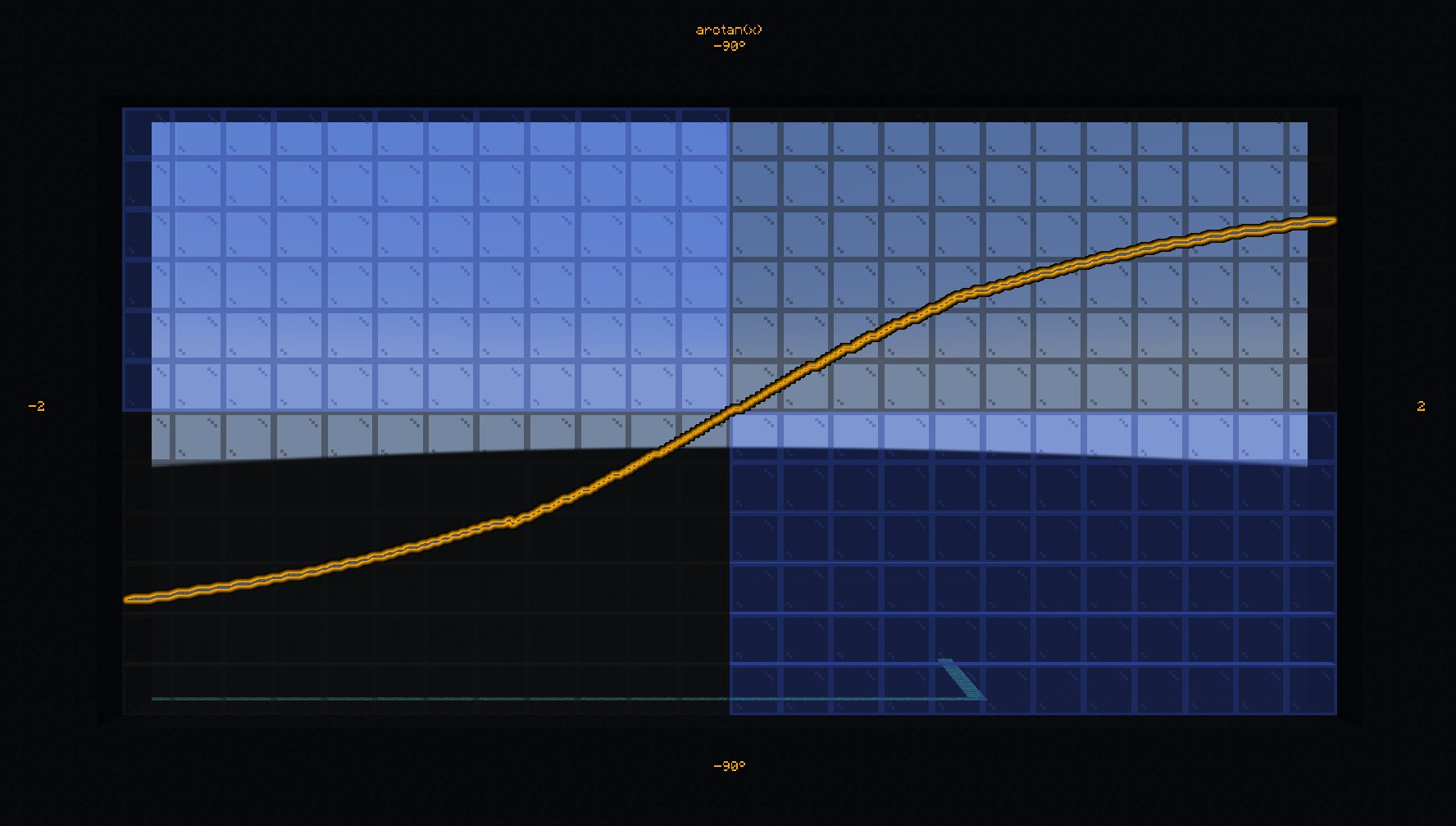
计算负无穷到正无穷之间的值的反正切。
- 输入:
分数
$math.atan.x bs.in:要计算反正切的值,为了在整数分数中获得更好的精度而偏移 3 位小数(1.2345 → 1234)。- 输出:
返回值 | 分数
$math.atan bs.out:运算结果(角度),偏移 2 位小数。
示例:计算并显示 0.42 的反正切:
# Once
scoreboard players set $math.atan.x bs.in 420
function #bs.math:atan
tellraw @a [{"text":"atan(0.42) = ","color":"dark_gray"},{"score":{"name":"$math.atan","objective":"bs.out"},"color":"gold"}]
- #bs.math:atan2
计算 y 和 x 的二参数反正切。
- 输入:
分数
$math.atan2.[y,x] bs.in:要计算反正切的值,为了在整数分数中获得更好的精度而偏移 3 位小数(1.2345 → 1234)。- 输出:
返回值 | 分数
$math.atan2 bs.out:运算结果(角度),偏移 2 位小数。
示例:计算并显示 (0.42, 0.8) 的 atan2:
# Once
scoreboard players set $math.atan2.y bs.in 420
scoreboard players set $math.atan2.x bs.in 800
function #bs.math:atan2
tellraw @a [{"text":"atan2(0.42, 0.8) = ","color":"dark_gray"},{"score":{"name":"$math.atan2","objective":"bs.out"},"color":"gold"}]
- #bs.math:cos
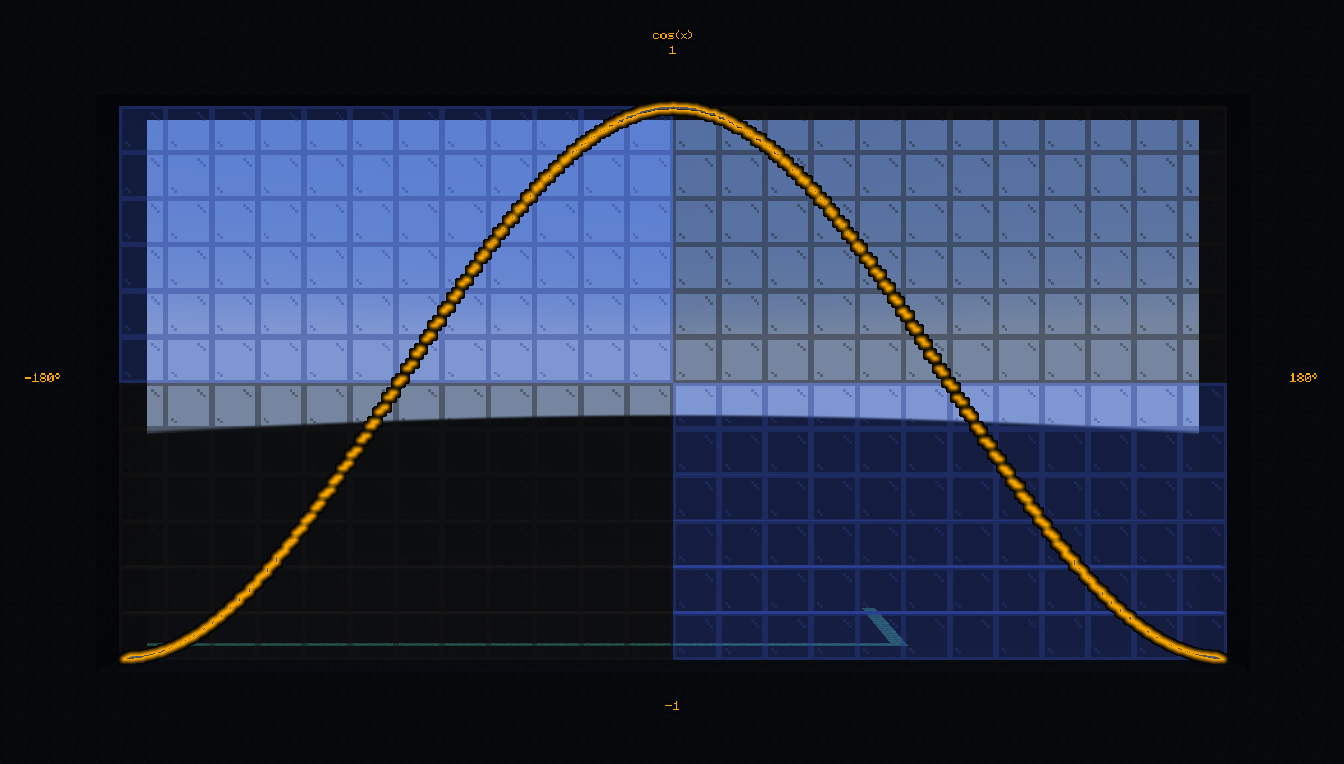
计算 0 到 360 度之间的角的余弦。
- 输入:
分数
$math.cos.x bs.in:角度(度),偏移 2 位小数(例如:90.15 → 9015)。- 输出:
返回值 | 分数
$math.cos bs.out:角度的余弦,偏移 3 位小数(例如:0.42 → 420)。
示例:计算并显示 42 的余弦:
# Once
scoreboard players set $math.cos.x bs.in 4200
function #bs.math:cos
tellraw @a [{"text": "cos(42) = ", "color": "dark_gray"},{"score":{"name":"$math.cos", "objective": "bs.out"}, "color": "gold"}]
工作原理?
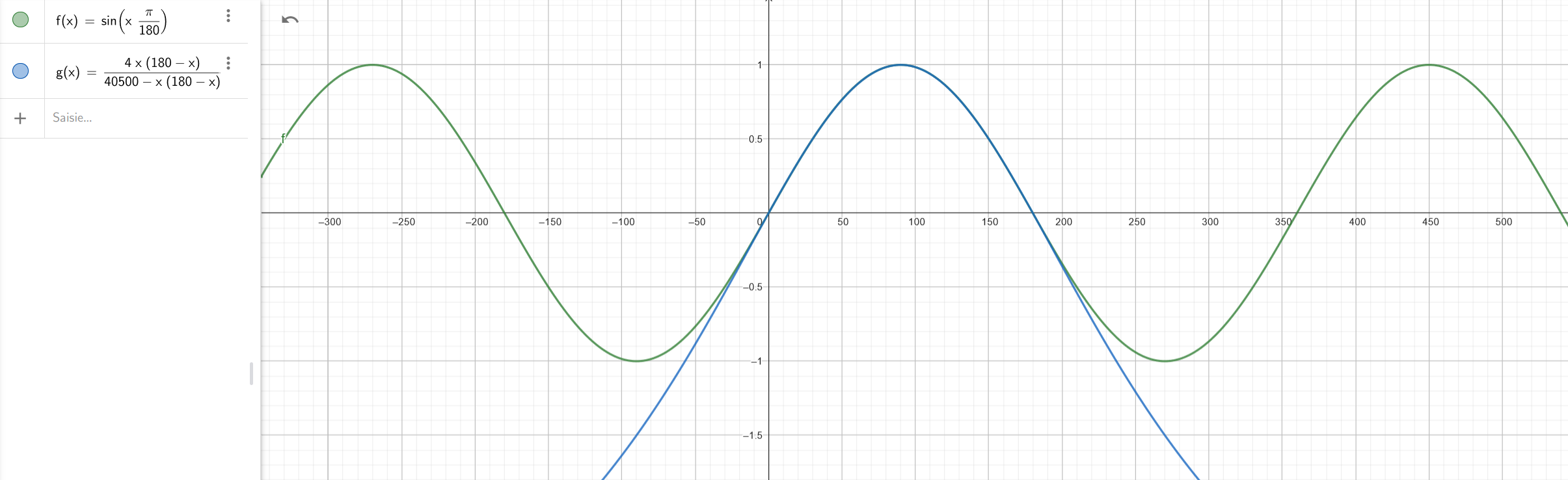
这个函数使用 Bhaskara 近似法,它告诉我们
从这个关系,并使用以下性质
\(\sin(-x) = -\sin(x)\) (反对称性)
\(\sin(x+360) = \sin(x)\) (周期性)
我们可以计算任意角度的正弦,进而计算余弦。
- #bs.math:sin
计算 0 到 360 度之间的角的正弦。
- 输入:
分数
$math.sin.x bs.in:角度(度),偏移 2 位小数(例如:90.15 → 9015)。- 输出:
返回值 | 分数
$math.sin bs.out:角度的正弦,偏移 3 位小数(例如:0.42 → 420)。
示例:计算并显示 42 的正弦:
# Once
scoreboard players set $math.sin.x bs.in 4200
function #bs.math:sin
tellraw @a [{"text": "sin(42) = ", "color": "dark_gray"},{"score":{"name":"$math.sin", "objective": "bs.out"}, "color": "gold"}]
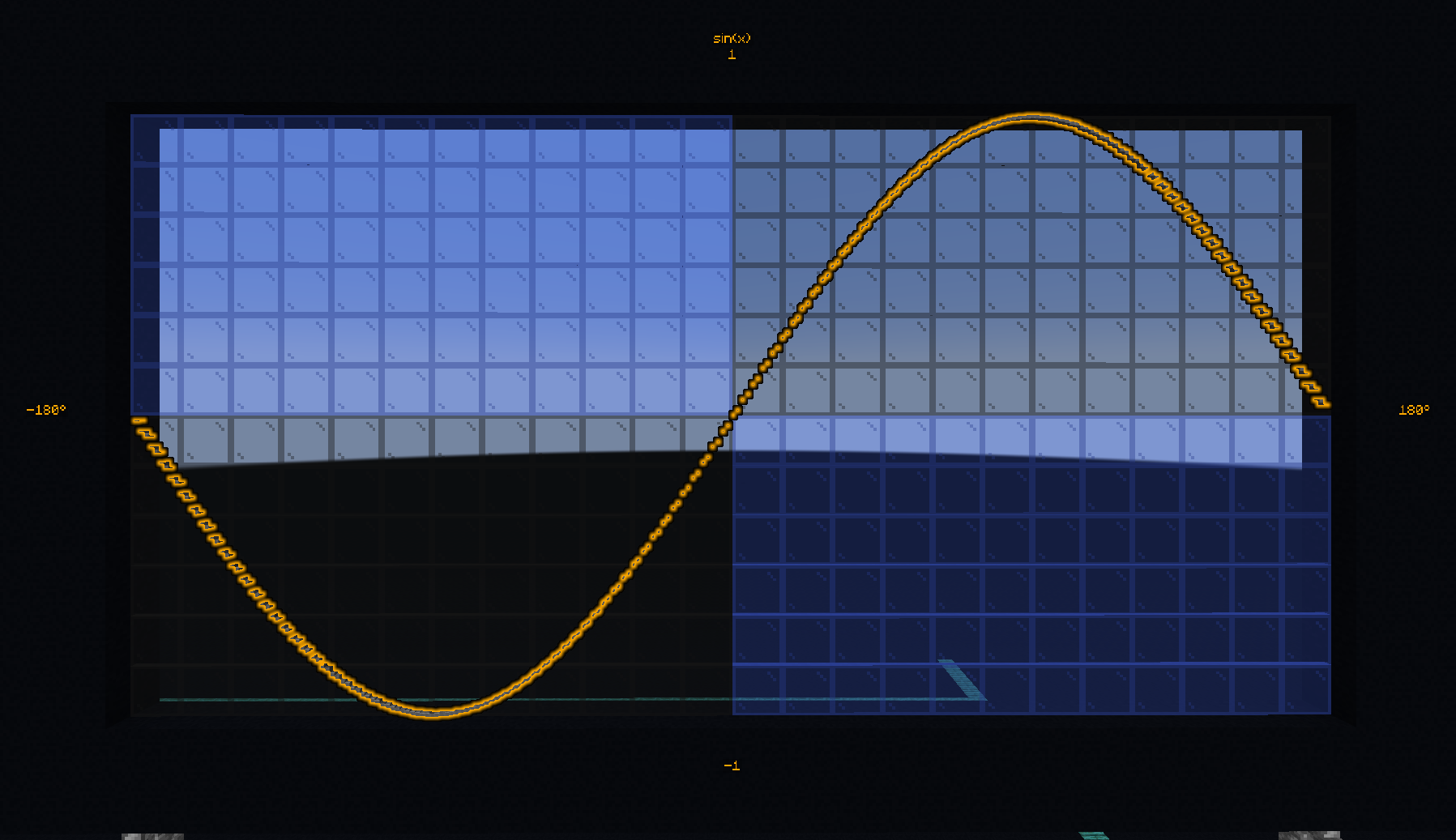
工作原理?
这个函数使用 Bhaskara 近似法,它告诉我们
从这个关系,并使用以下性质
\(\sin(-x) = -\sin(x)\) (反对称性)
\(\sin(x+360) = \sin(x)\) (周期性)
我们可以计算任意角度的正弦。
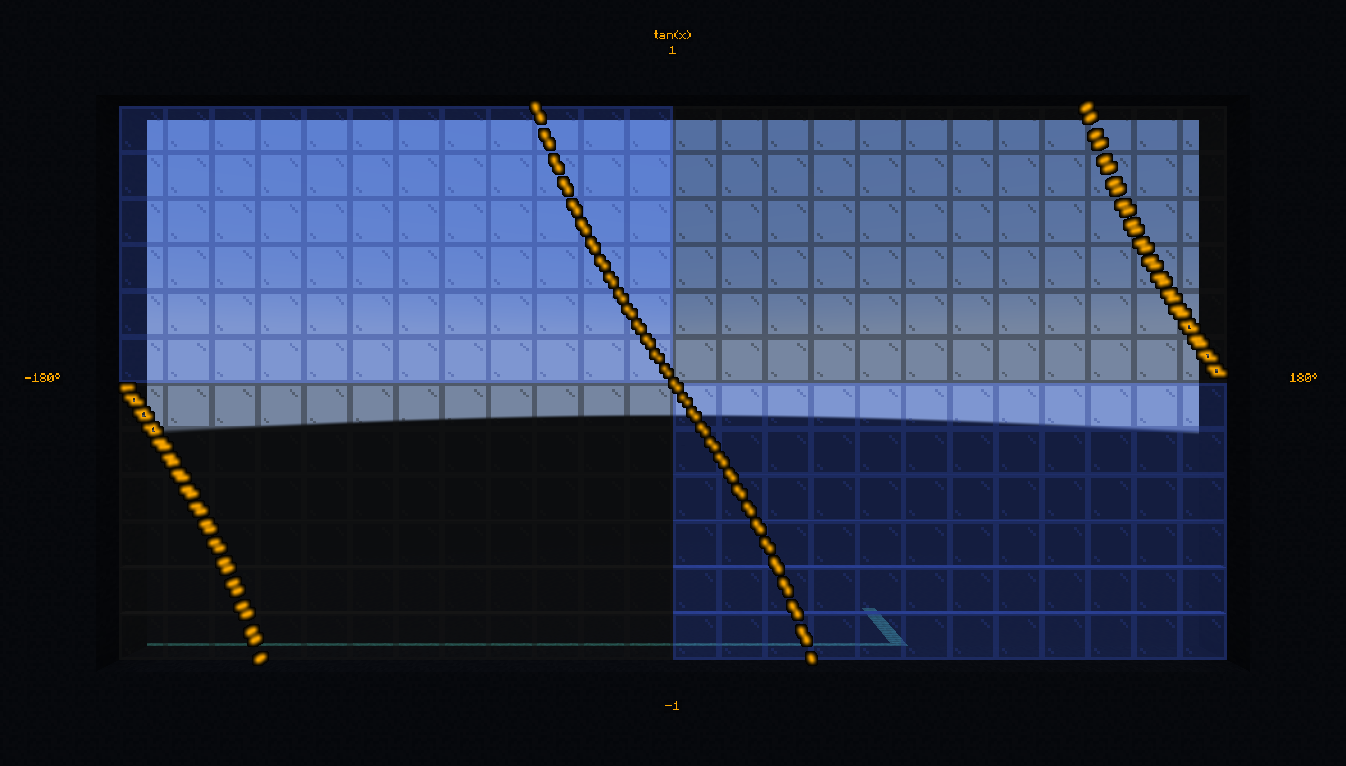
- #bs.math:tan
计算 0 到 360 度之间的角的正切。
- 输入:
分数
$math.tan.x bs.in:角度(度),偏移 2 位小数(例如:90.15 → 9015)。- 输出:
返回值 | 分数
$math.tan bs.out:角度的正切,偏移 3 位小数(例如:0.42 → 420)。
示例:计算并显示 42 的正切:
# Once
scoreboard players set $math.tan.x bs.in 4200
function #bs.math:tan
tellraw @a [{"text": "tan(42) = ", "color": "dark_gray"},{"score":{"name":"$math.tan", "objective": "bs.out"}, "color": "gold"}]
- #bs.math:sincos
在单个操作中计算 0 到 360 度之间的角的正弦和余弦。
- 输入:
分数
$math.sincos.x bs.in:角度(度),偏移 2 位小数(例如:90.15 → 9015)。- 输出:
分数
$math.sincos.cos bs.out:角度的余弦,偏移 3 位小数(例如:0.42 → 420)。分数
$math.sincos.sin bs.out:角度的正弦,偏移 3 位小数(例如:0.42 → 420)。
示例:计算并显示 42 的正弦和余弦:
# Once
scoreboard players set $math.sincos.x bs.in 4200
function #bs.math:sincos
tellraw @a [{"text": "cos(42) = ", "color": "dark_gray"},{"score":{"name":"$math.sincos.cos", "objective": "bs.out"}, "color": "gold"}]
tellraw @a [{"text": "sin(42) = ", "color": "dark_gray"},{"score":{"name":"$math.sincos.sin", "objective": "bs.out"}, "color": "gold"}]
工作原理?
此函数使用 Minecraft 传送计算余弦和正弦值。虽然它比单独调用 cos 或 sin 略低效,但它允许在单个操作中同时计算两者。
制作人员:Aksiome、KubbyDev、Leirof
💬 这对你有帮助吗?
欢迎在下方留下你的问题和反馈!